

Hax Installments
Installments and collections management program
Manage installment sales: customers and products, installment calculations and schedules, and payment records with receipts.
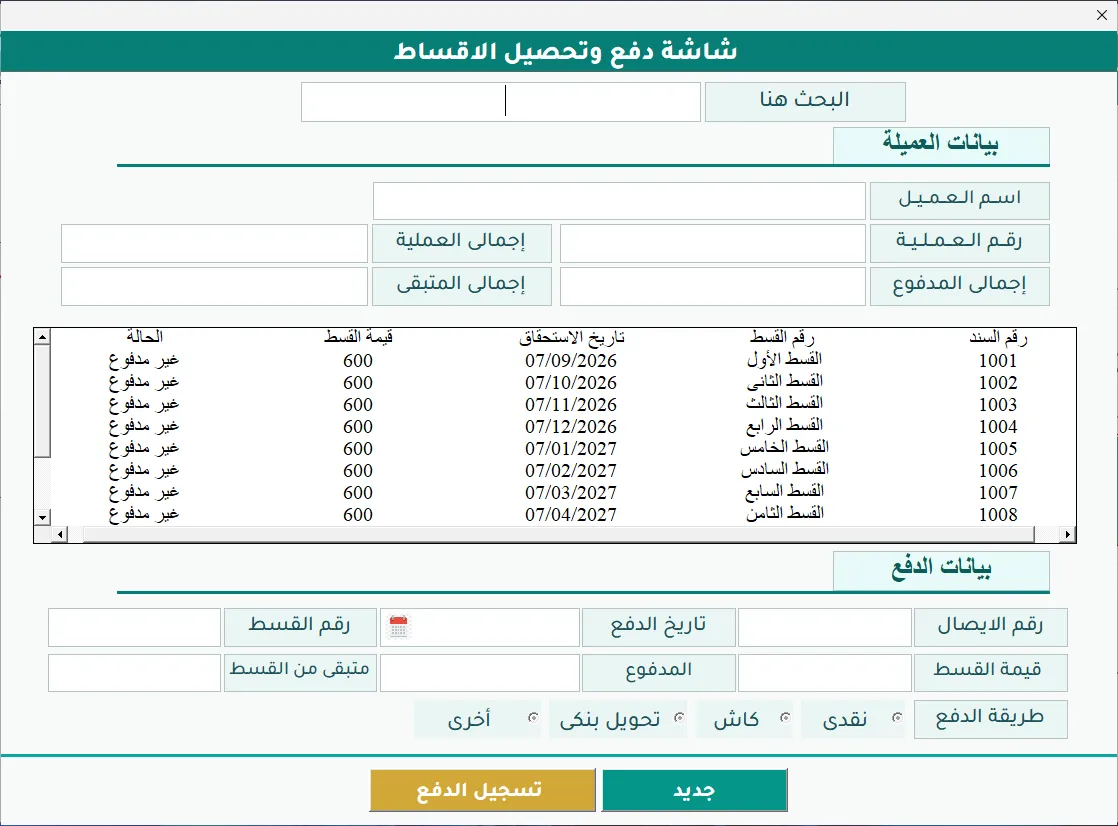
Hax Installments is a program for managing installment sales, recording installments, and tracking collections. You record customer and product data, create installment deals and their schedules, then record payments and create their receipts.
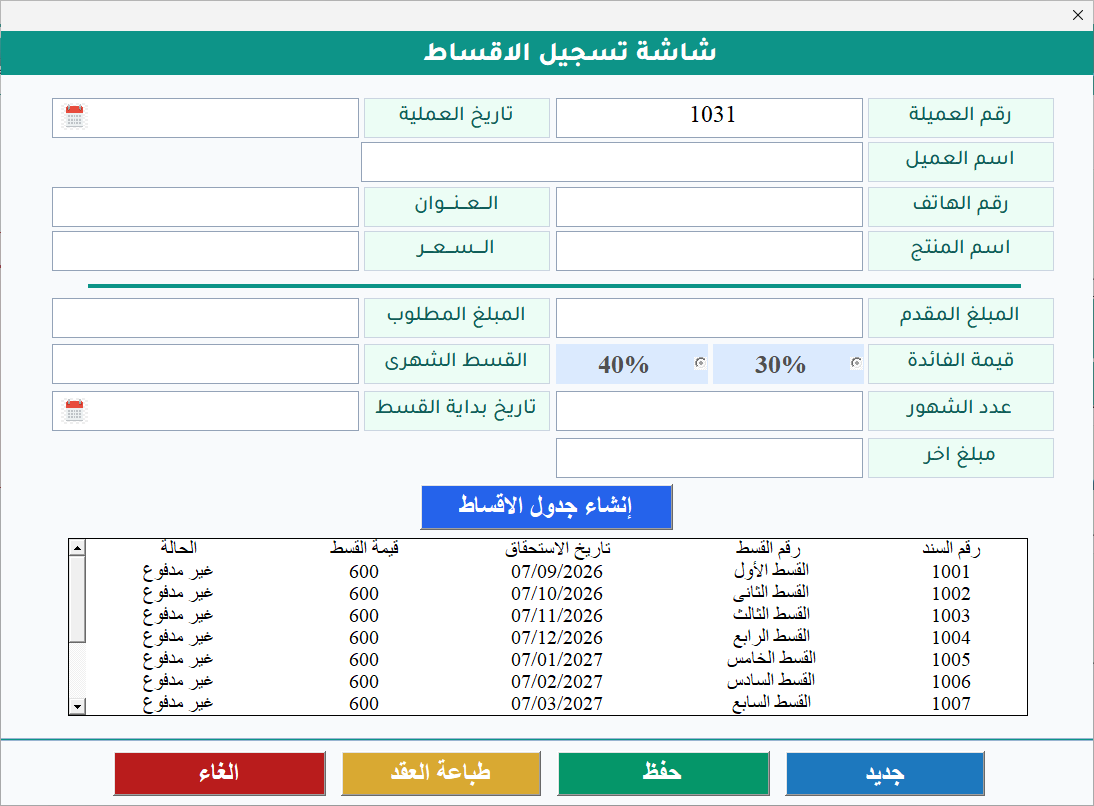
When you create an installment deal, the program deducts the down payment from the price of the product being sold and calculates the amount to pay in installments. It then adds interest to this amount at the rate you set. It calculates the monthly installment automatically, or the number of months from the installment amount you set, and then creates the full installment schedule.
The program interface is in Arabic.
The program is built with Microsoft Excel and VBA, and it uses a Microsoft Word template to print the installment schedule.
The installment process, step by step
The program does more than calculate the monthly installment. You start by recording the customer and the product, then set the down payment and the interest rate. The program calculates the installment and creates the schedule. After that, you record payments, create receipts, and track the remaining amounts.
Program features
Customers and products
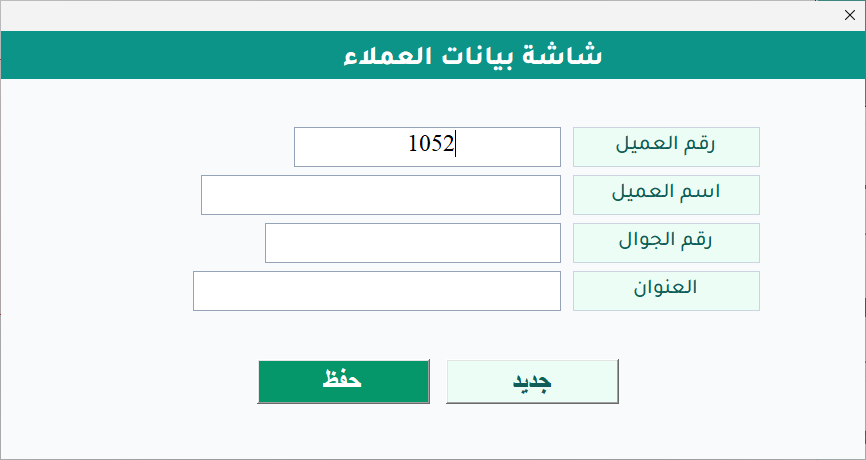
- Record and keep customer data.
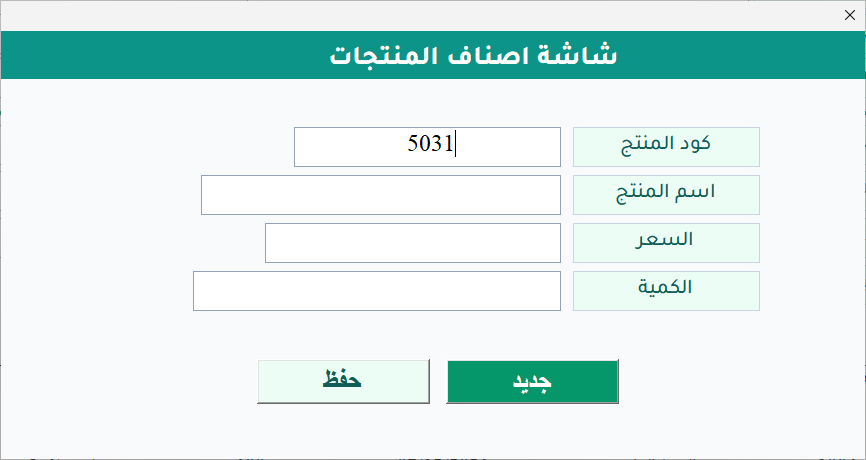
- Record products and their prices.
Installment deals and calculations
- Deduct the down payment from the product price and calculate the amount to pay in installments.
- Set an interest rate and add the interest to the amount to pay in installments.
- Calculate the monthly installment automatically, or set it by hand when needed.
- Calculate the number of installment months automatically from the installment amount you set.
- Create the full installment schedule automatically.
- Use a Word template to print the installment schedule.
Payment and receipt records
- Find a customer's deal by deal number, customer name, or phone number.
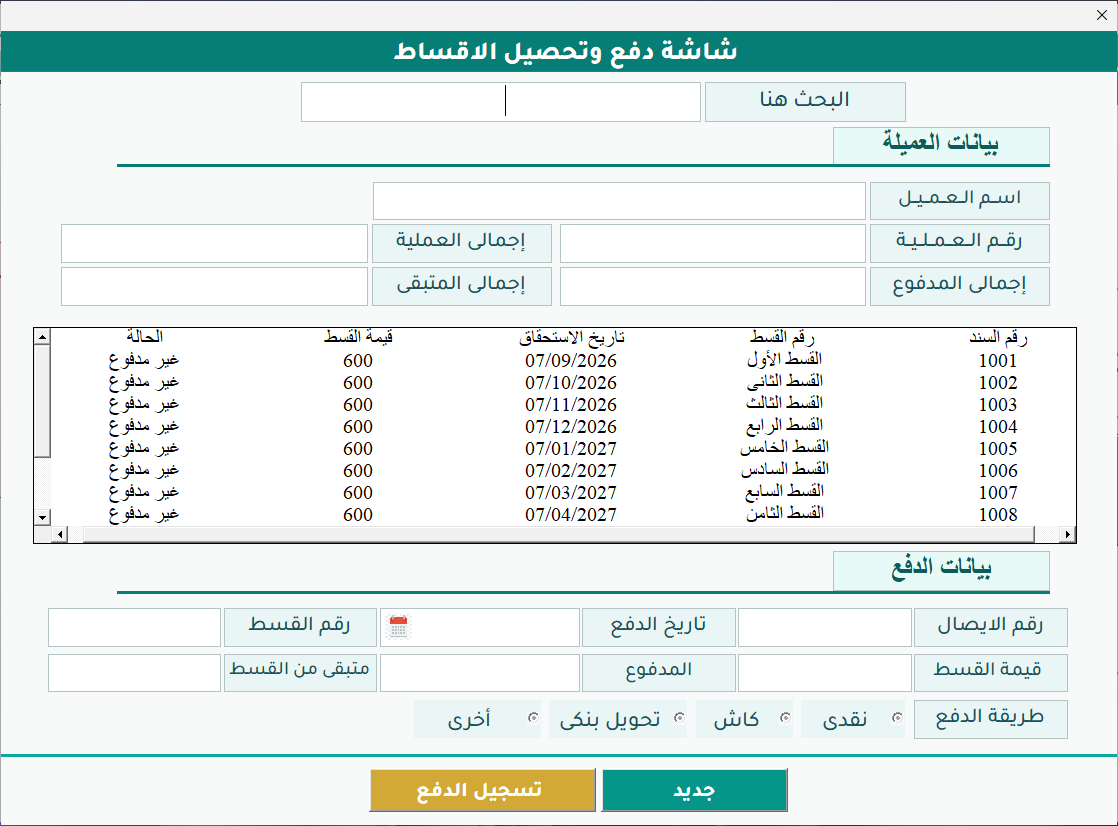
- When you record a payment, the receipt number, payment date, installment number, and installment value fill in automatically; you enter the amount paid by hand.
- Payment status set from the amount paid: full payment or partial payment.
- Record the payment method and create a payment receipt.
- The program only records payments; it does not process them.
Tracking and lookup
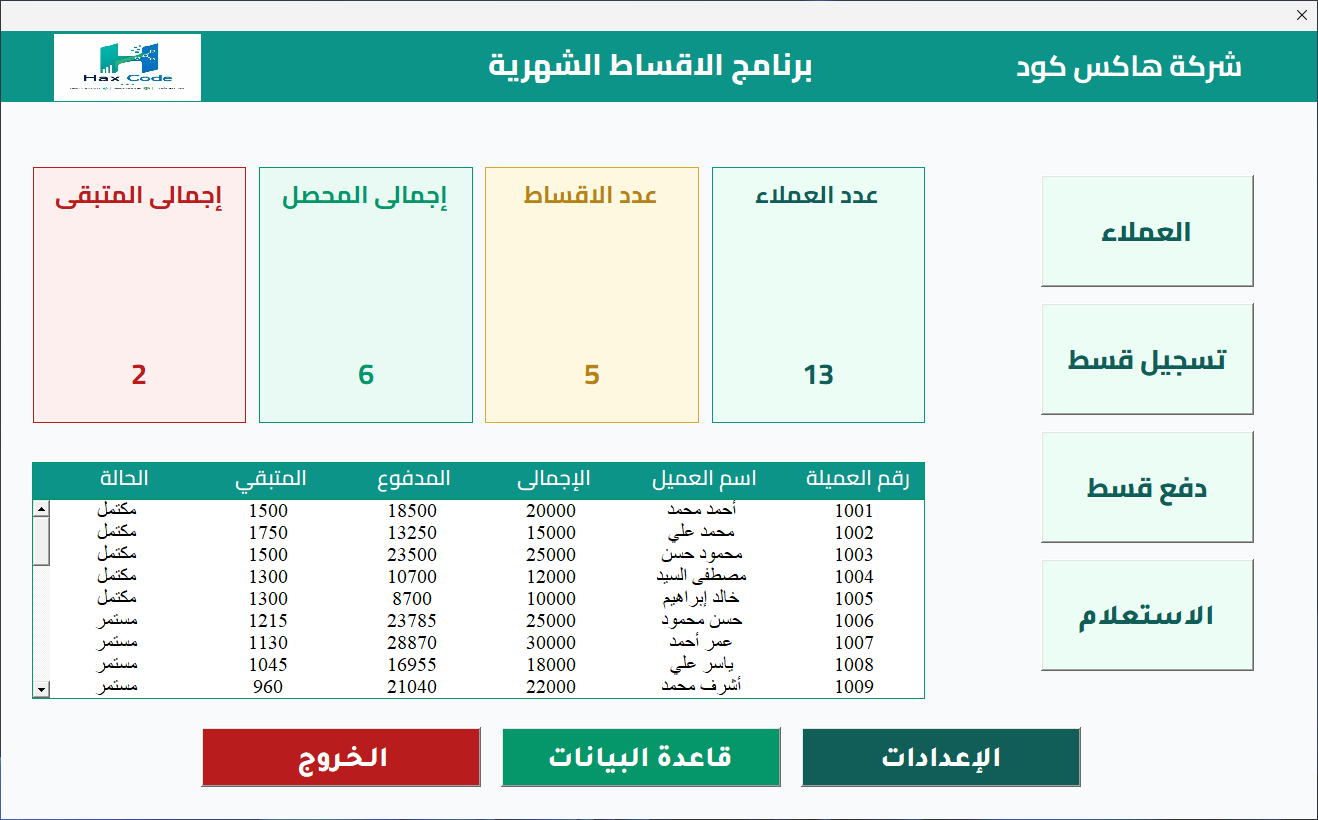
- A main screen that shows the number of customers, the number of installment deals, the total amount collected, and the total amount remaining.
- Buttons on the main screen to reach the program's functions.
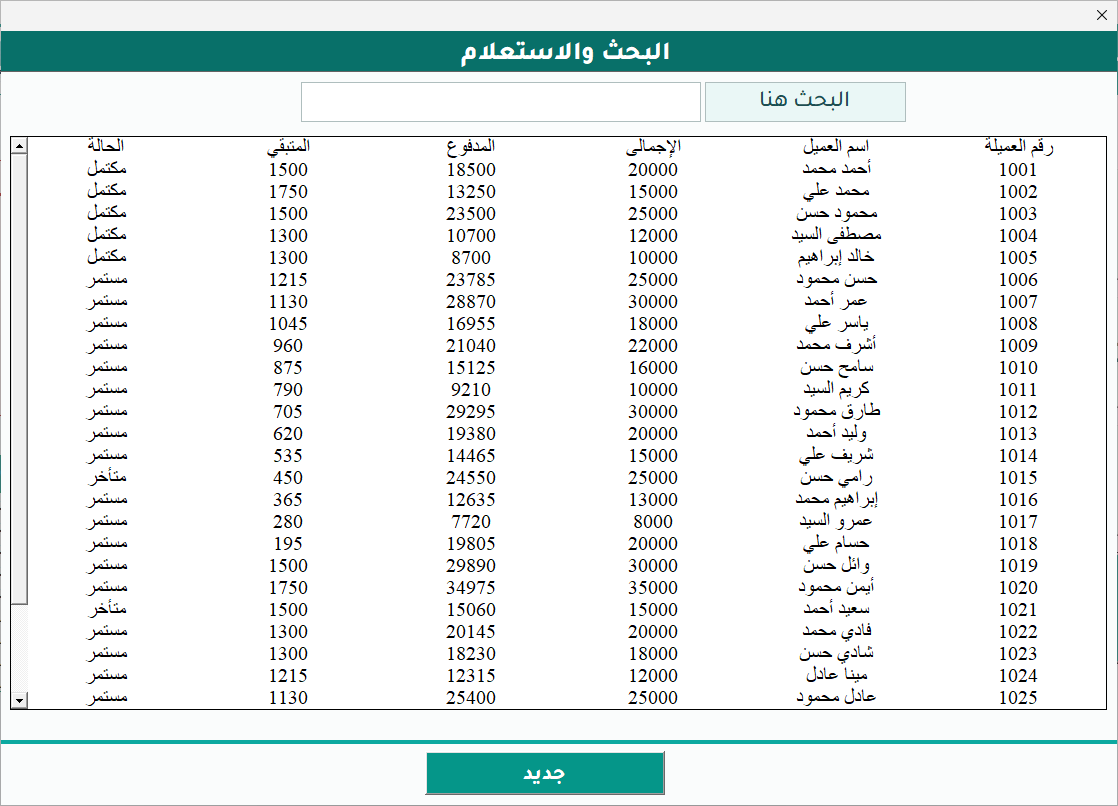
- Look up records by customer name, phone number, deal number, or installment status.
Settings
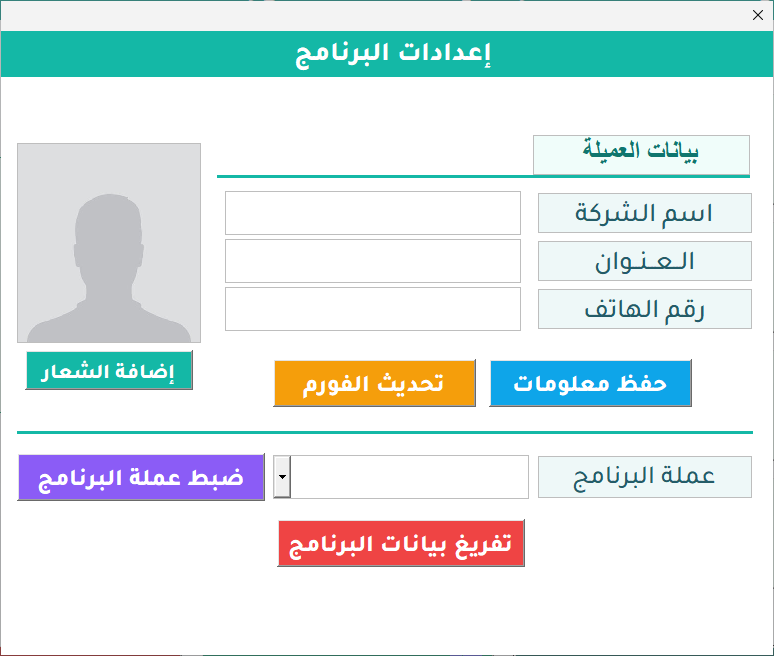
- Record your company's details and logo.
- Set the currency used in the program.
Screenshots from the program
Amounts shown in the screenshots are sample data, not prices.
Would you like to use Hax Installments in your business?
Contact us on WhatsApp to ask about the program and order it. The button opens a chat with a prefilled message that names the program.